Insurance Accounting Workflow Services
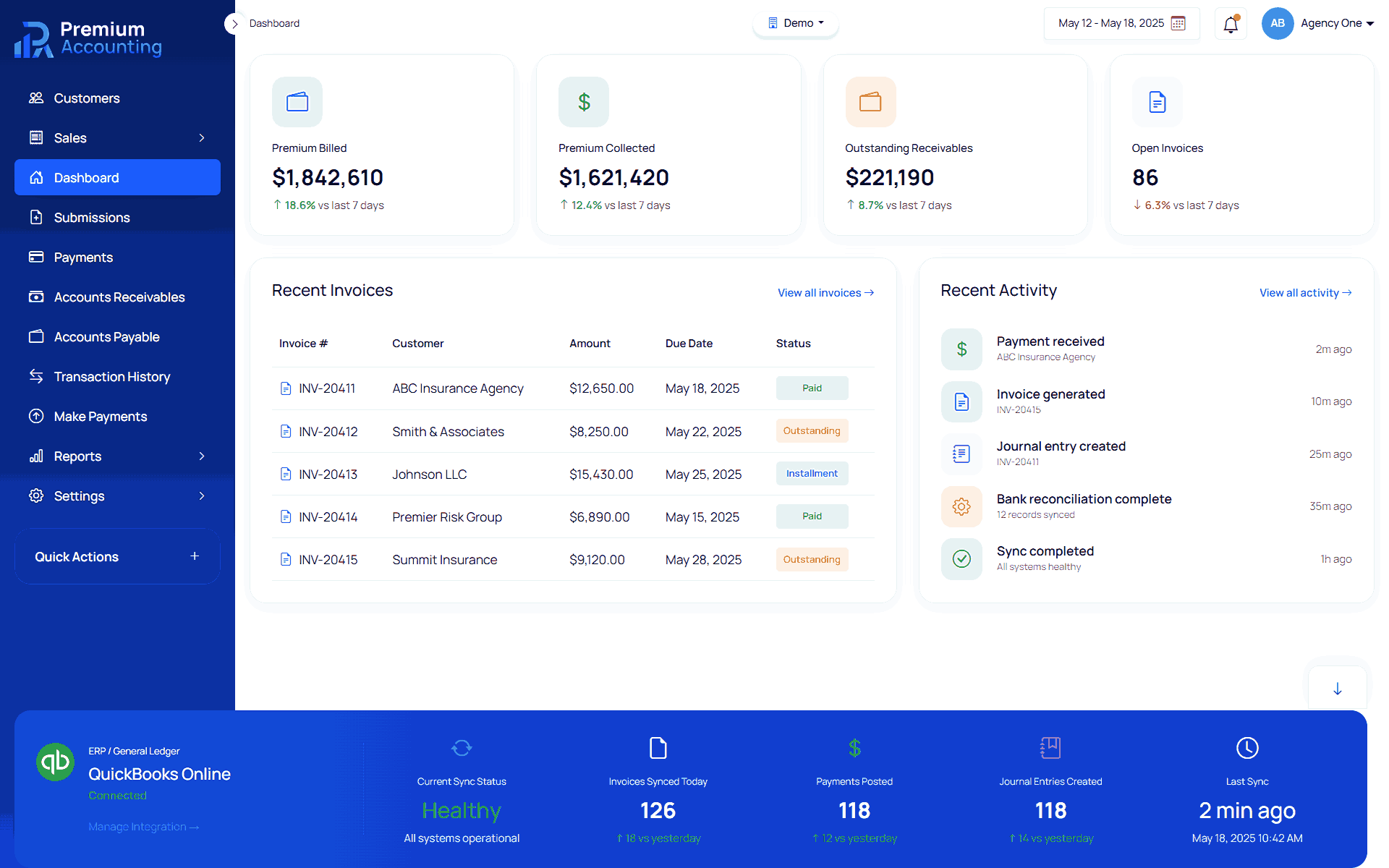
Insurance accounting depends on accurate workflows. Every policy transaction must move through policy entry, premium line items, commission calculations, invoice generation, reconciliations and general ledger posting without losing accounting accuracy. RemoteBooksOnline helps insurance agencies, MGAs, wholesalers and carriers design, implement and operate insurance accounting workflows using Premium Accounting. Premium Accounting supports structured accounting workflows for policy submissions, insured management, premium line items, taxes, fees, agency commissions, MGA commissions, invoices, reporting and general ledger synchronization with QBO, Xero, Workday and Sage. Learn more about Enterprise Insurance Accounting Outsourcing.
What Is an Insurance Accounting Workflow?
An insurance accounting workflow is the sequence of accounting steps required to move a policy transaction from creation to billing, reconciliation, reporting and general ledger posting.
A complete insurance accounting workflow may include:
 Creating or importing policy data
 - Selecting or creating the insured
- Entering transaction details
- Adding premium line items
- Adding taxes and fees
- Calculating agency commissions
- Calculating MGA commissions
- Generating invoices
- Updating invoices after policy changes
- Managing master data
- Mapping lines of business
- Mapping tax and fee line items
- Synchronizing financial data with QBO, Xero, Workday or Sage
- Supporting reports, reconciliations and month end close
Learn more about Insurance Accounting
Why Insurance Accounting Workflows Break Down
Insurance accounting workflows often break down when policy data, accounting rules and general ledger posting are handled in separate systems.
Common issues include:
- Policy data entered in one system and accounting data entered in another
- Premium line items tracked in spreadsheets
- Taxes and fees treated inconsistently
- Commissions calculated manually
- Invoices generated outside the accounting workflow
- Endorsements and cancellations not linked to the original policy record
- Carrier and agency records duplicated across systems
- Manual journal entries posted without policy level detail
- Reconciliations delayed until month end
- General ledger records not matching policy activity
RemoteBooksOnline helps organizations reduce these issues by implementing structured insurance accounting workflows and supporting the ongoing accounting operations behind them. Learn more about Insurance Accounting Platform, Insurance Accounting Automation, Insurance General Ledger Integration
Manual Policy Submission Workflow
Premium Accounting supports manual policy submission workflows when an external underwriting management system is not available or when policy data is not received through an integration. The manual workflow allows users to create a policy record directly inside the accounting platform.
Policy details may include:
- Quote ID
- Submission ID
- Previous submission ID
- Original submission ID
- Policy number
- Effective date
- Expiration date
- Cancellation date
- Billing type
- Transaction type
- Policy action
- Endorsement number
- Invoice note
- Risk state
- Underwriter
- Insured
- Carrier
- Agency
- Wholesaler
- Finance company
- Agent commission percentage
- MGA commission percentage
This creates the foundation for policy accounting, premium line items, invoice generation and reporting. Learn more about Policy Submission Accounting
Insured Selection and Insured Creation Workflow
Insurance accounting workflows require accurate insured records. Premium Accounting allows users to select an existing insured during policy submission. If the insured is not available, users can create a new insured record directly from the policy details workflow. This helps accounting teams avoid delays when policy accounting cannot move forward because insured information is missing. Learn more about Insured Management
Policy Line Item Workflow
After policy details are entered, accounting users add policy line items.
Policy line items capture the financial components of the policy, including:
- Premiums
- Taxes
- Fees
- Other charges
- Commissionable amounts
- Non commissionable amounts
- Coverage or line of business
- Accounting treatment
Premium line items support commission calculation. Tax and fee line items can be configured separately through line item mapping. Learn more about Policy Line Item Accounting, Insurance Line Item Mapping
Premium and Commission Workflow
When premium is selected as the line item type, Premium Accounting can calculate agency commission and MGA commission from the premium amount.
The workflow can show:
- Agency commission percentage
- Agency commission amount
- MGA commission percentage
- MGA commission amount
- Total commission percentage
- Total commission amount
This reduces manual calculation work and helps standardize commission accounting. Learn more about Commission Accounting
Tax and Fee Workflow
Taxes and fees do not always follow the same accounting rules as premium. Premium Accounting supports tax and fee line item workflows that can be mapped to specific accounting behavior.
Line item mapping can define:
- Billing type
- Accounting direction
- Pass through entity
- Whether the item is included or excluded from customer billing
- Tax or fee handling rules
This helps ensure taxes and fees are treated consistently during invoicing and accounting. Learn more about Insurance Line Item Mapping
Modernize Your Insurance Accounting Operations
Learn how RemoteBooksOnline can help implement Premium Accounting, streamline premium accounting workflows, and support your accounting team with ongoing insurance accounting services.
Schedule an Insurance Accounting ConsultationLearn About Premium Accounting
Invoice Workflow
Once policy details and line items are reviewed, users can generate the policy invoice.
The invoice workflow supports:
- Invoice generation
- Invoice viewing
- Invoice PDF download
- Invoice updates after policy changes
- Updated invoice records based on the latest policy and line item information
If policy details or line items are changed after an invoice is generated, users can update the invoice so the billing record reflects the latest accounting information. Learn more about Insurance Invoice Management
Master Data Workflow
Insurance accounting workflows rely on accurate master data.
Premium Accounting includes management workflows for:
- Operating banks
- Installment plans
- Wholesalers
- Carriers
- Agencies
- Finance companies
- Lines of business
- Line item mappings
- Other entity specific records
Maintaining accurate master data helps reduce duplicate records, inconsistent billing and reporting issues. Learn more about Insurance Master Data Management
Line of Business Workflow
Line of business mapping allows organizations to configure coverage types used during policy line item entry. Configured lines of business populate coverage fields when users add or edit policy line items. This helps maintain consistency across premium accounting, policy reporting and operational workflows. Learn more about Insurance Lob Management
General Ledger Workflow
Premium Accounting can synchronize financial data with QBO, Xero, Workday and Sage. This allows insurance organizations to use Premium Accounting as the insurance accounting workflow layer while maintaining their general ledger for financial reporting.
General ledger workflow support may include:
- Credential configuration
- API based data synchronization
- Accounting transaction posting
- Review of mapped accounting activity
- Ongoing reconciliation support
- Integration monitoring
Learn more about Insurance General Ledger Integration, Quickbooks Insurance Accounting, Sage Intacct Insurance Accounting
How RemoteBooksOnline Supports Insurance Accounting Workflows
RemoteBooksOnline supports insurance accounting workflows from implementation through ongoing accounting operations.
Our services include:
- Workflow discovery
- Current process review
- Premium Accounting implementation
- Policy submission setup
- Policy line item setup
- Commission workflow setup
- Tax and fee mapping
- Invoice workflow setup
- Master data setup
- GL integration setup for QBO, Xero, Workday and Sage
- User training
- Reconciliation support
- Reporting support
- Month end close support
Learn more about Insurance Accounting Implementation
Workflow Support by Organization Type
Insurance Agencies
Agencies use insurance accounting workflows to manage agency bill, direct bill, commissions, invoices, trust accounts and reconciliations.
MGAs
MGAs use insurance accounting workflows to manage premium activity, agency commissions, MGA commissions, carrier settlements, policy changes and reporting.
Wholesalers
Wholesalers use workflows to manage retail agency relationships, carrier relationships, premium finance details, invoices, commissions and reconciliations.
Carriers
Carriers use structured accounting workflows to support premium accounting, policy transactions, reporting, reconciliation and general ledger accuracy.

Remote Books Online is an
for






Insurance Native
Financial Workflows

End-to-End
Implementation

Training & Ongoing
Support

Accurate, Compliant &
Audit-Ready
Ready to Modernize Your Insurance Accounting?
Whether you're evaluating Premium Accounting, replacing manual spreadsheets, improving reconciliations, or looking for ongoing insurance accounting support, our specialists are ready to help.
Schedule an Insurance Accounting ConsultationBrowse Insurance Accounting Resources
Frequently Asked Questions
An insurance accounting workflow is the sequence of accounting steps used to process policy transactions, premium line items, commissions, taxes, fees, invoices, reconciliations and general ledger posting.
Insurance accounting workflows require policy level detail, commission logic, tax and fee treatment, billing rules, insured records, carrier relationships and general ledger integration that generic accounting systems do not manage by default.
Yes. Premium Accounting supports manual policy submissions when policy data is not received through an underwriting system or API integration.
Yes. Premium Accounting can calculate agency and MGA commissions based on policy level commission percentages and premium line item amounts.
Yes. If policy details or line items change after invoice generation, the invoice can be updated so the billing record reflects the latest accounting information.
Premium Accounting integrates with QBO, Xero, Workday and Sage.
Yes. RemoteBooksOnline can provide ongoing accounting operations, reconciliation support, reporting support and month end close support after Premium Accounting is implemented.